01 · Discover
Choose a practice with purpose.
Maya discovers practices that fit her specialty and reviews where to focus next.
For solo liaisons · iOS & Android coming soon
Walk in prepared. Remember the conversation. Follow through with care. LiaisonIQ brings the work around each practice relationship into one place, so you can give the people your attention.
See the real app screens ↓Individual mobile plans are coming soon. Store pricing and availability will be shown at launch and before purchase.

A thoughtful day starts with a little context.
Know where you’re going. Remember why you’re going.The relationship in practice
Meet Maya, a fictional solo liaison. See how preparation, planning, and a remembered promise connect her visits over time.
01 · Discover
Maya discovers practices that fit her specialty and reviews where to focus next.
02 · Plan
She reviews her priorities and a suggested stop order before heading out.
03 · Connect
Maya remembers the last conversation. The nurses share a question, and she agrees on a useful next step.
04 · Follow through
Maya returns with the guide she promised, asks whether it helped, and plans when to reconnect.
Illustrative story spanning multiple visits. Trust grows over time. Maya reviews suggestions and next steps.
Inside LiaisonIQ
From planning the day to remembering a visit, here’s what that support looks like in LiaisonIQ.
App screens shown below. Solo iOS and Android access is coming soon; pricing and availability will be shown at launch.
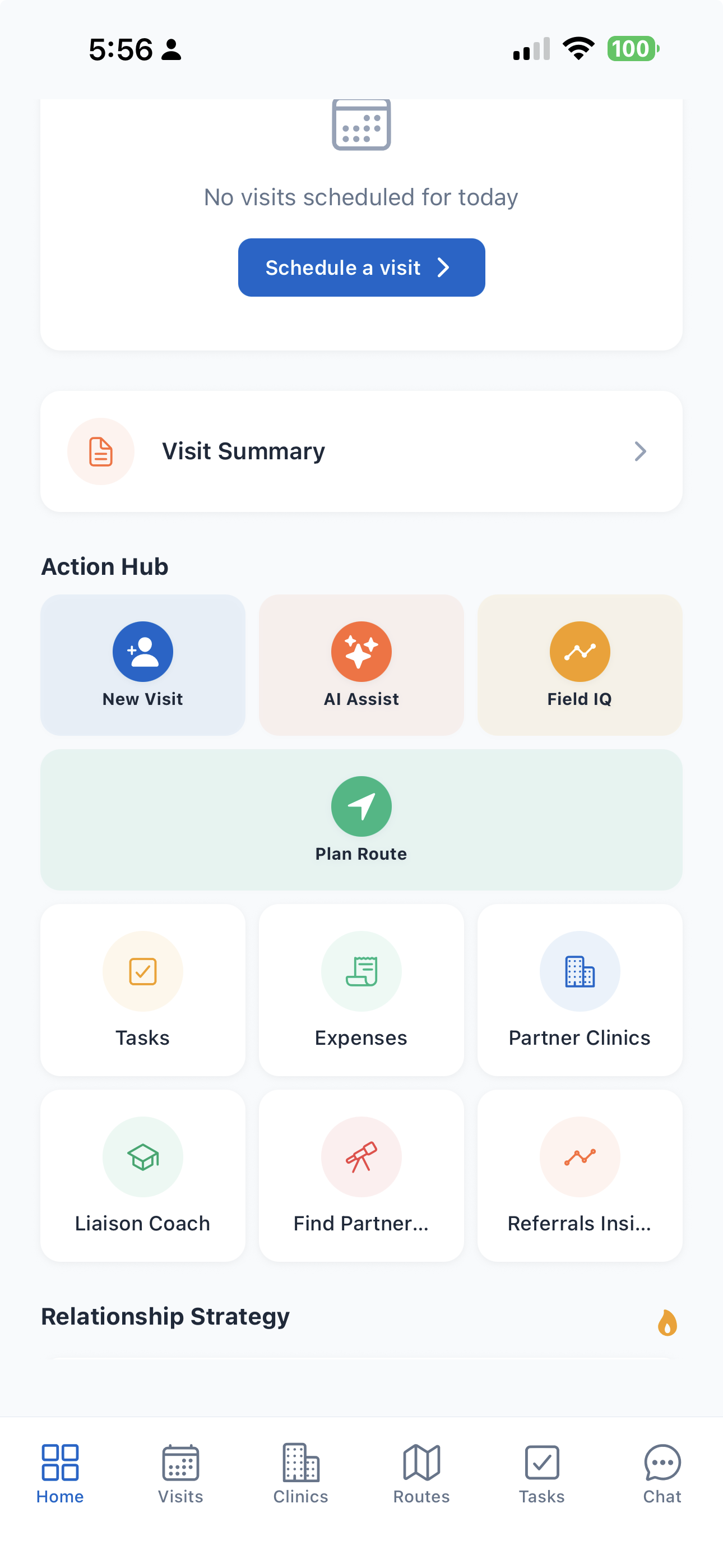
Today brings upcoming visits, tasks, and accounts needing attention into one view.
View full-size screenshot of Start with what matters today. (opens in a new tab)↗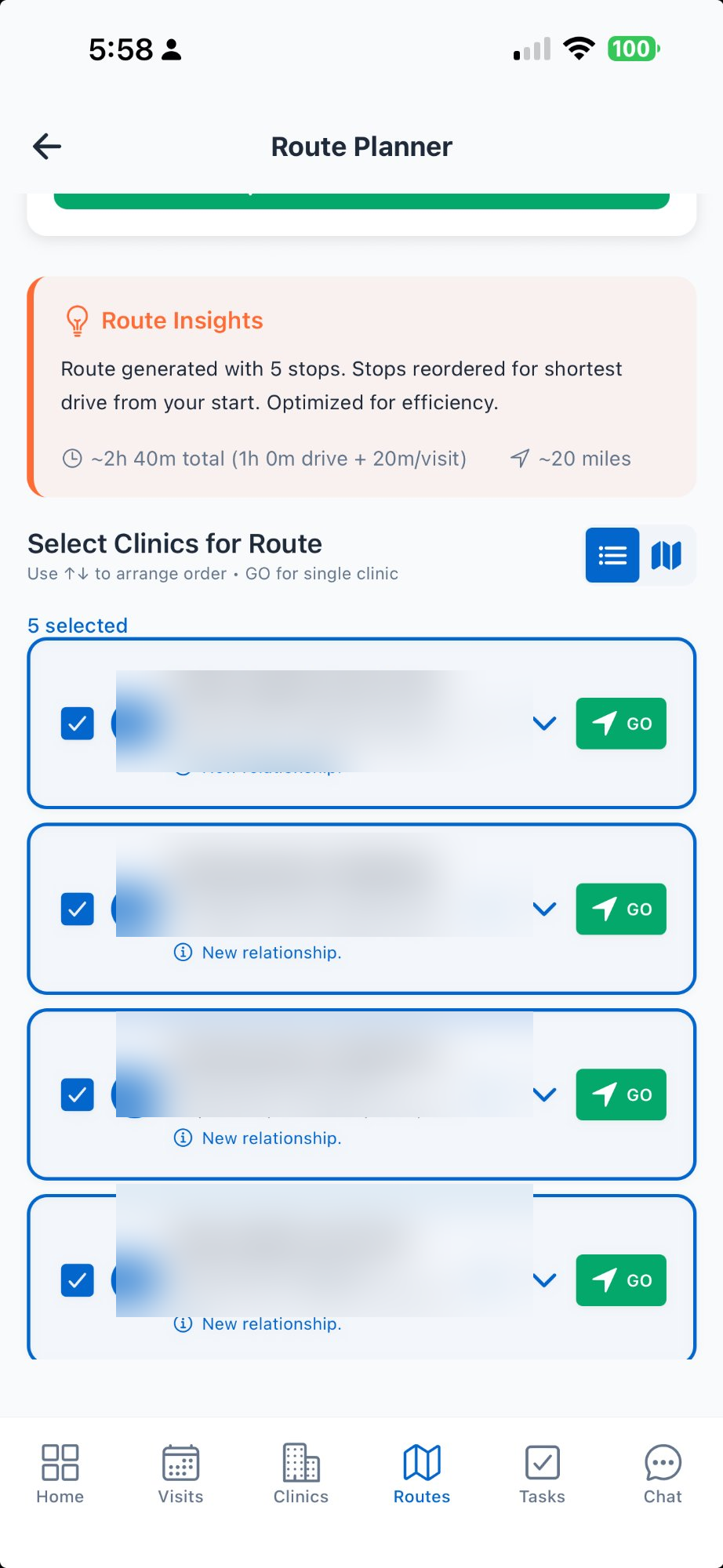
Bring your stops together, review the suggested route, and adjust it around your day.
View full-size screenshot of Make a plan you can work with. (opens in a new tab)↗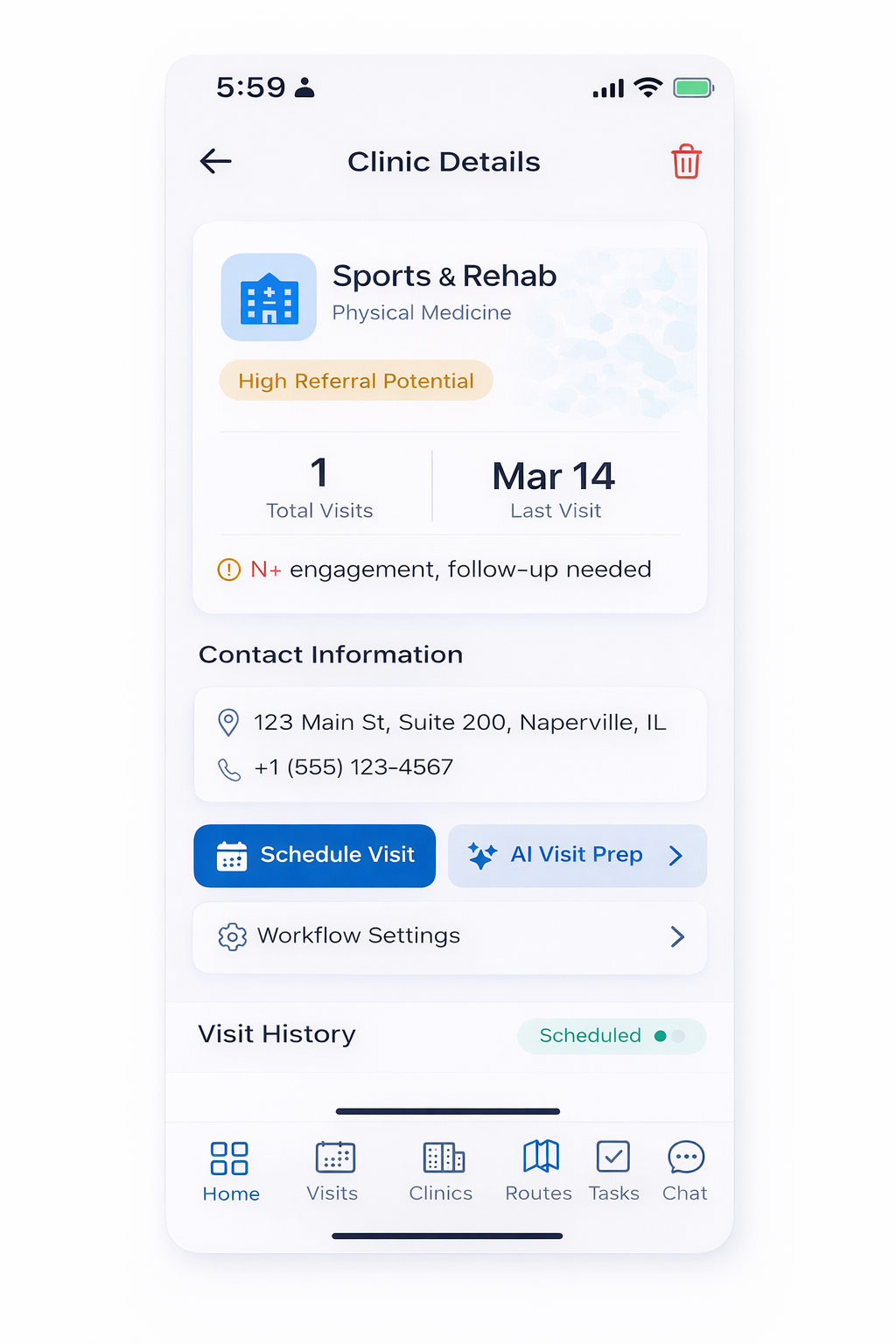
Capture visit details and notes so the next conversation has a starting point.
View full-size screenshot of Carry the conversation forward. (opens in a new tab)↗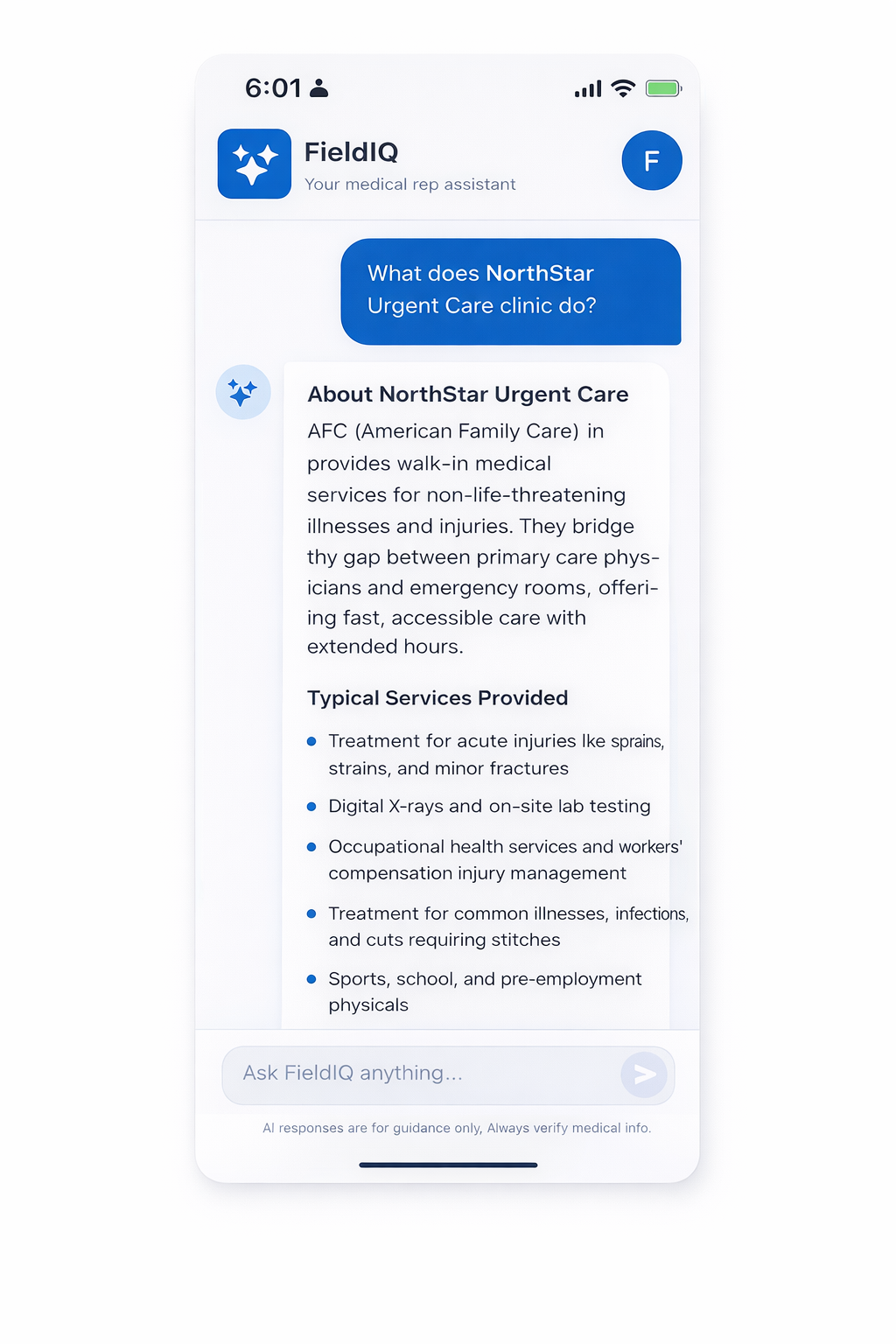
Use LiaisonIQ Assist to develop talking points from the practice context you provide. Review suggestions before using them.
View full-size screenshot of Prepare a more relevant conversation. (opens in a new tab)↗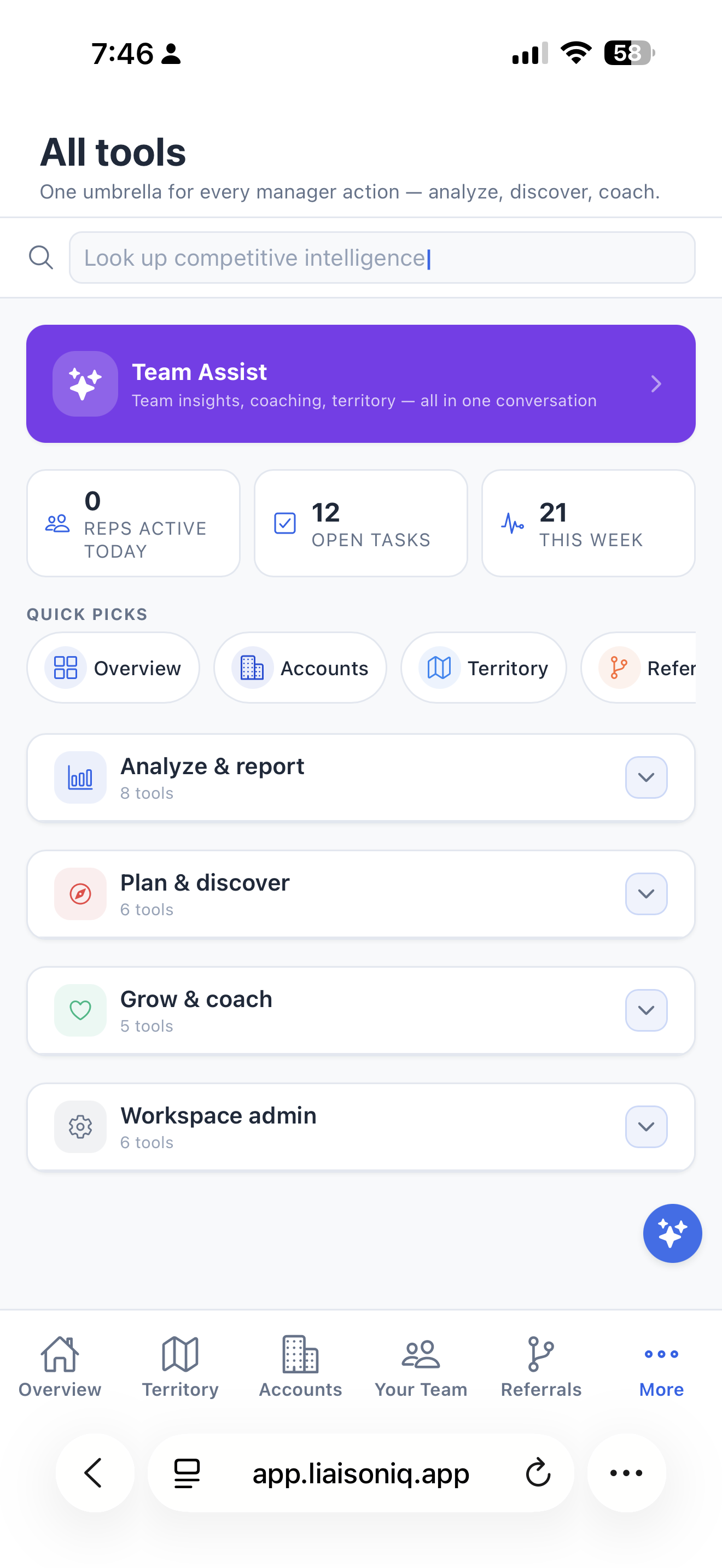
Find planning, discovery, and coaching tools without losing your place in the day.
View full-size screenshot of Keep useful tools close. (opens in a new tab)↗Built around relationship work
Review practice history and use AI visit preparation to make room for a more relevant conversation.
Voice notes and follow-up tasks help you remember what matters between visits.
Practice history and planning give the next conversation a starting point. You decide what matters and when to reconnect.
Log referrals and review them alongside recorded visits and outreach. See trends by practice and provider.
Find outpatient practices in your territory from the national registry and add them directly — no manual data entry.
AI surfaces referral patterns when you add a clinic — a head start on where to focus, not a replacement for your judgment.
Optionally translate referral activity into dollar terms — opportunity value, growth, and lift — using a per-referral rate you set once. Off by default; turn it on only if dollar figures help you make the case.
Filter your pipeline, go full-screen for a focused working session, and get deterministic, rule-based suggestions for which opportunities and referrals need attention next — no black-box guessing, just clear reasons you can trust.
Pick your specialty and the app changes with it — field labels, the practice types discovery searches for, and the role and clinical focus your AI is briefed with. Fifteen configurations, from PT and chiropractic to hospice and vein clinics, so prep and coaching talk about your world instead of "healthcare" in general.
Liaison IQ Pro puts you in front of an in-character practice — the gatekeeper, the competitor loyalist, the skeptical PCP — then scores your opening, objection handling, clinical relevance, confidence, and whether you asked for a next step. Ten scenarios, three difficulty tiers, a place to practice before the next conversation.
See the high-volume practices in your territory you have never actually visited. The list that grows your book rather than just maintaining it.
Import clinics and visits from CSV using downloadable templates, and share aggregate monthly referral counts by typing them in or connecting a Google Sheet. Switching tools shouldn't cost you three years of relationship history.
A personalized summary of what moved, what slipped, and what deserves attention next — assembled for you instead of by you.
Keep reference docs, flyers and doctor letters in one place, downloadable from your phone when a practice asks for something on the spot.
Browse everything liaisonIQ can do right from the Tools tab, including what's available on your current plan — so you always know what's there when you need it.
Plans & availability
Liaison Pro · iOS & Android coming soon
Individual subscriptions will be offered through the App Store and Google Play. Pricing and availability will be shown before purchase.
Individual plans are not sold through web checkout. This website does not offer mobile downloads yet.
Before you start
Explore the mobile workflow now and join the waitlist for availability updates.
Individual plans use App Store or Google Play subscriptions. The mobile apps are coming soon; the website does not currently sell an individual subscription.
Clinic and visit CSV imports support bringing your practice context into LiaisonIQ. Keep patient information out of notes and uploads.
Team workspaces are available on the web with approval-based access and shared practice history. Explore LiaisonIQ for Teams.
Explore the upcoming mobile experience, built around the way a liaison’s day unfolds.