01 · Align
Start with a shared view of the territory.
Maya and her manager review coverage and decide which practices need attention.
For outreach teams · Available on the web
Help every liaison pick up the conversation with care. Shared practice history, territory planning, and coordinated outreach keep the whole team working toward the same next step.
See the real app screens ↓Access requires approval. Your 15-day trial starts at approved account creation. No credit card required to start.

The relationship belongs to the whole team.
When the liaison changes, the context can stay.The relationship in practice
An illustrative story: Maya plans with her team, shares what she learns, and keeps a promise visible through the handoff.
01 · Align
Maya and her manager review coverage and decide which practices need attention.
02 · Share context
The nurses ask for a clearer guide. Maya records the question and the agreed next step.
03 · Coordinate
The team plans outreach to selected practices, drafts a resource, and reviews it before sharing.
04 · Follow through
When a colleague covers Maya’s visits, shared history helps them bring the guide back and continue the conversation.
Illustrative story spanning multiple visits. Trust grows over time. Your team reviews suggestions and next steps.
Inside LiaisonIQ
See how the workspace brings team priorities, territory coverage, and visit history together.
App screens shown below. Team workspaces are available on the web with approval-based access.
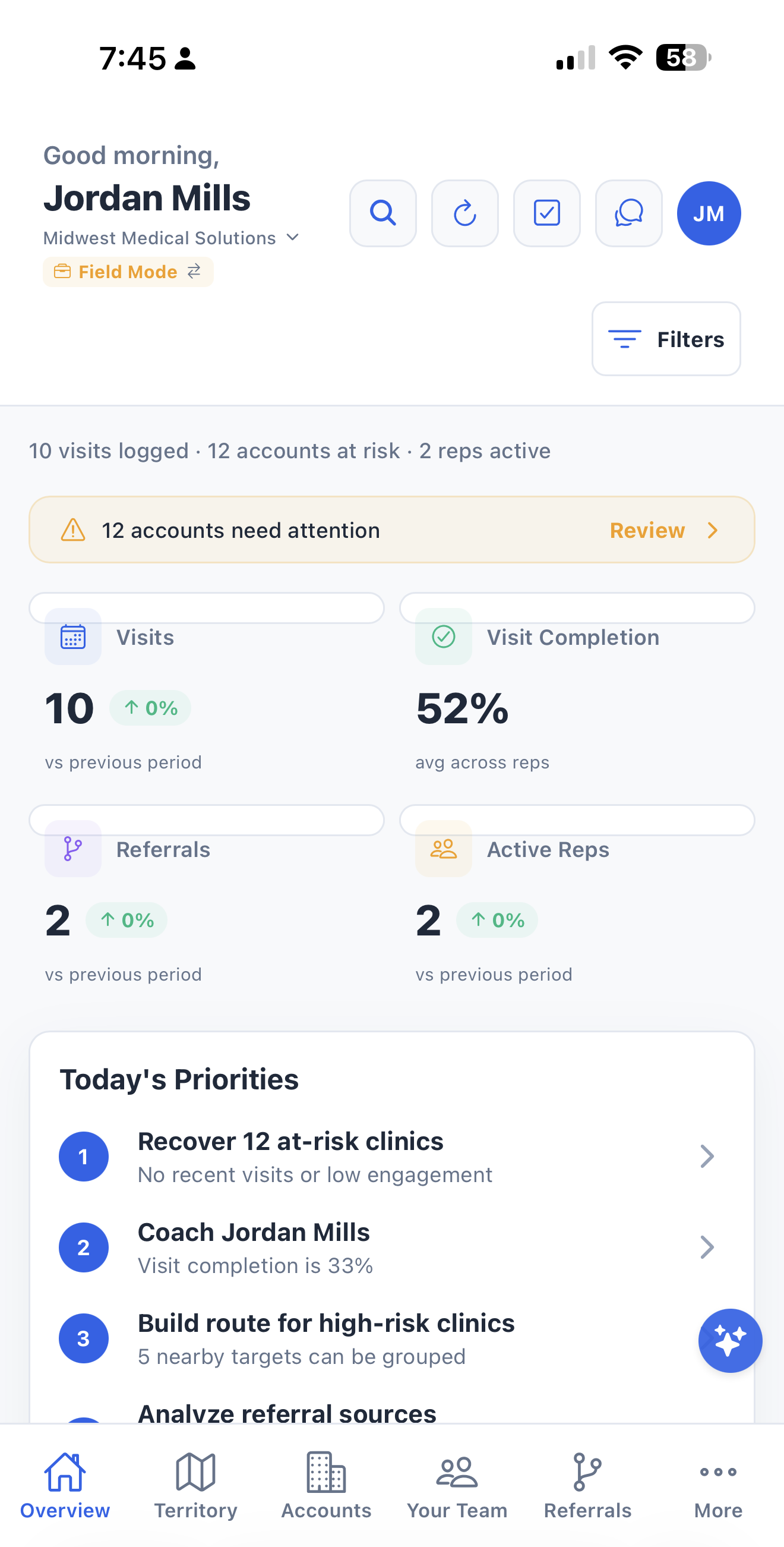
Review visits, active reps, and practices needing attention before deciding what to do next.
View full-size screenshot of See where the team needs support. (opens in a new tab)↗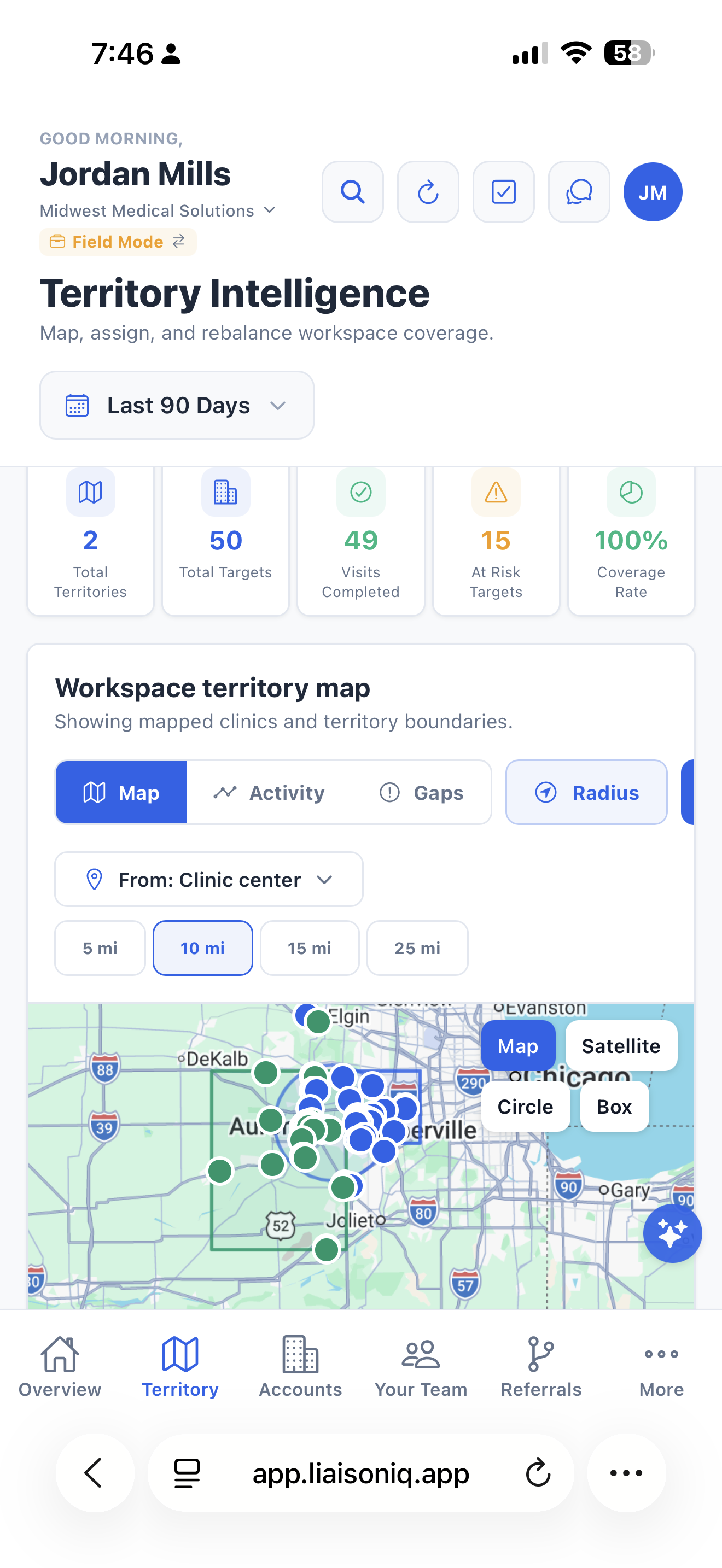
See practice coverage on the map and use shared territory context to plan the next visit.
View full-size screenshot of Keep the territory in view. (opens in a new tab)↗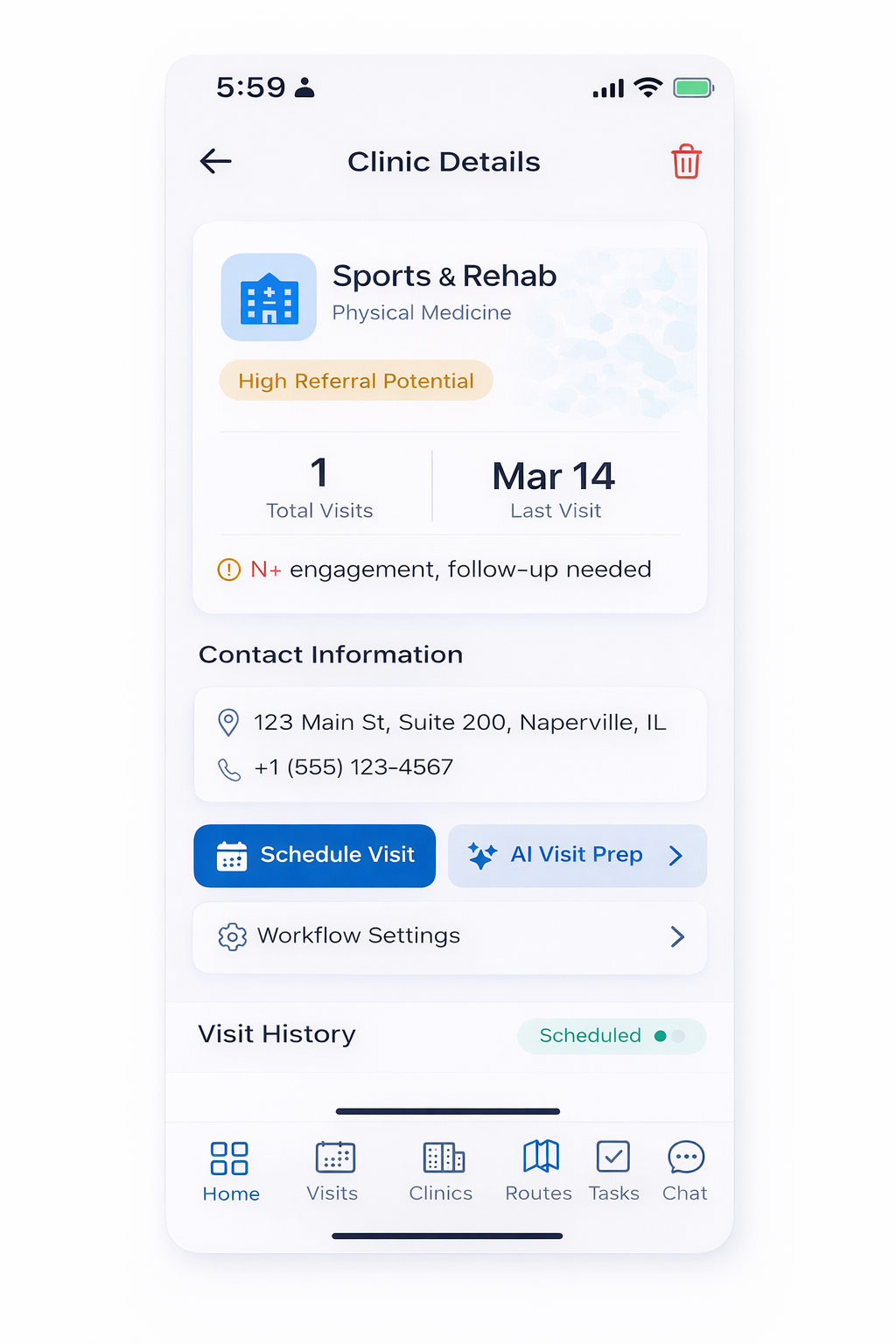
Visit details and notes help teammates pick up the conversation with care.
View full-size screenshot of Give the next liaison the context. (opens in a new tab)↗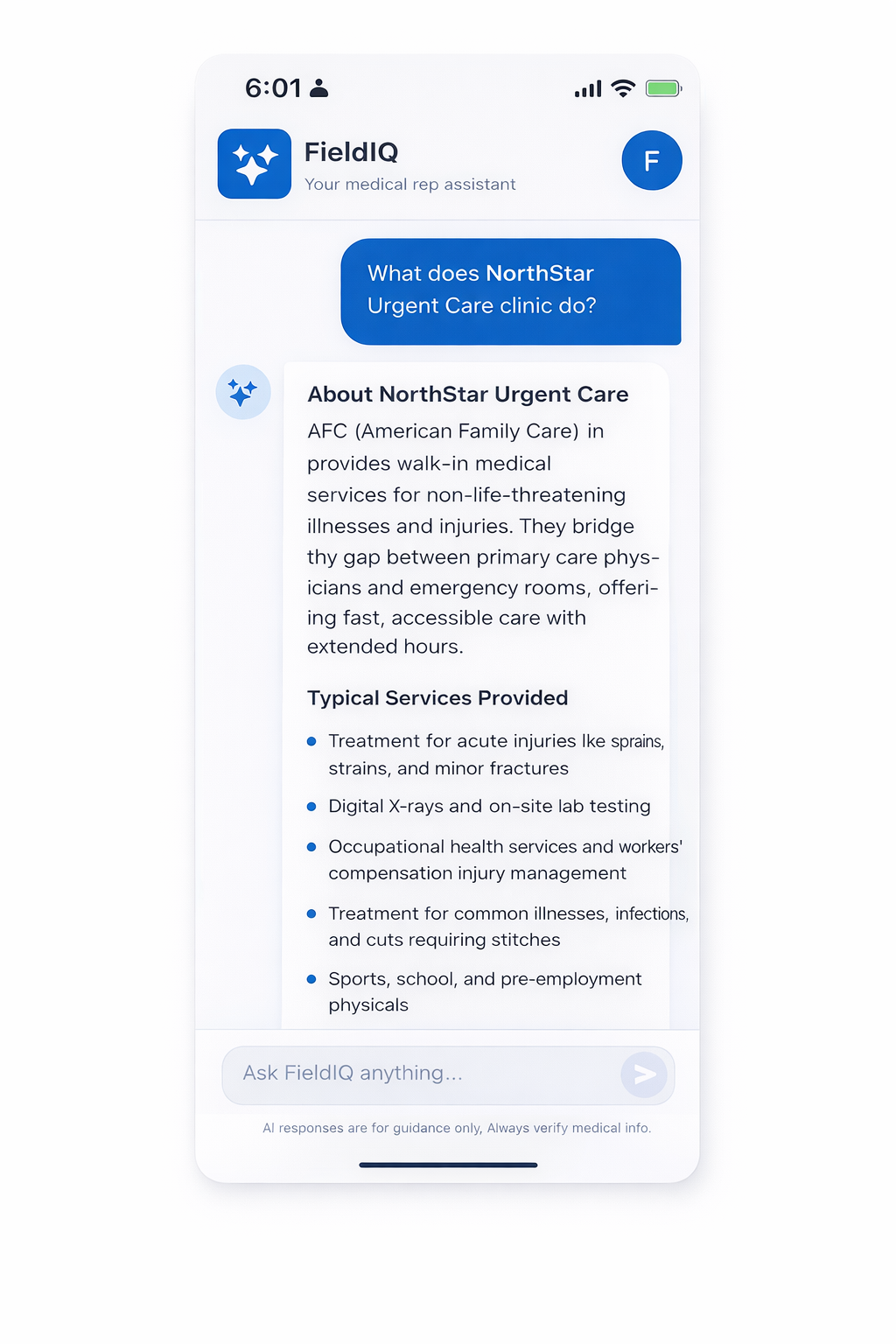
Assist supports the talking points behind a useful visit. Your team reviews its suggestions and applies its judgment.
View full-size screenshot of Prepare with practice context. (opens in a new tab)↗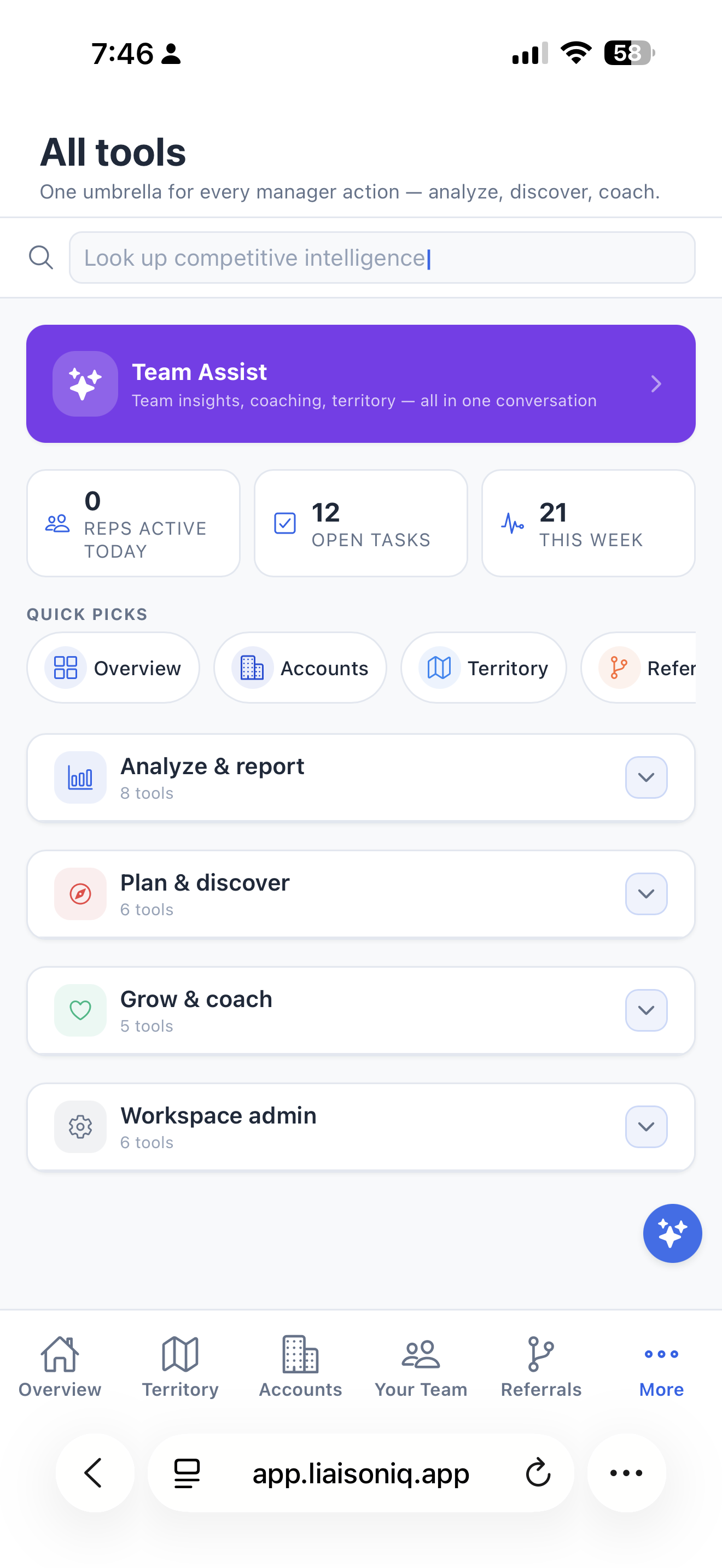
Open the workspace tools for analysis, planning, discovery, and administration from one directory.
View full-size screenshot of Find the tools behind the teamwork. (opens in a new tab)↗Built around relationship work
Discover practices, assign sites, and review coverage so your team can coordinate visits with purpose.
Shared clinic records, visit history, and follow-up tasks help colleagues continue the conversation.
Review team activity alongside aggregate referral trends. Timing-based connections offer context, not proof that a visit caused a referral.
Roll up referral activity across the team and review it alongside recorded visits and outreach — by practice, provider, territory, and rep.
Share aggregate referral counts through Google Sheets, push events to external systems, and connect to Salesforce or HubSpot through Zapier and Make.com.
Every team member gets the same solo-grade toolkit — AI visit prep, route planning, voice notes, and quick actions built for life in the field.
Optionally report $ tied up, $ opportunity value, $ growth, and $ lift across the team using a shared per-referral rate — so leadership can review modeled value alongside activity; these estimates are not verified revenue.
Set the workspace specialty once and it propagates to everyone — field labels, the practice types target discovery searches for, which of referrals, orders, leads and samples are in play, and the role and clinical focus the AI is briefed with. Fifteen configurations across outpatient, post-acute, pharma and device.
See which accounts moved up and which slid period-over-period, your average days from first visit to first referral, and a ranked short list of practices whose relationship health is degrading — five names a manager can act on before Monday, not a ninety-row report nobody opens.
Map the competitors working your territory, run gap analysis on the zones nobody is covering, pull catchment demographics, and build a profile on a specific competitor before a rep walks into an account they already own.
High-volume practices in your territory that nobody on the team has visited, rolled up for owners. The growth number that sits underneath all the retention ones.
New hires practice against an in-character practice contact across ten scenarios and three difficulty tiers, then get a debrief scored on opening, objection handling, clinical relevance, confidence, and closing attempt. Managers who can't ride along with every rep can still review the debriefs and see where someone is losing the room.
Bulk-import clinics and visits from CSV with downloadable templates, and share aggregate monthly referral counts by typing them in or connecting a Google Sheet. Rolling a team onto a new tool shouldn't mean abandoning the history that makes it useful.
Every team member can browse what LiaisonIQ can do, gated by role, right from the Tools tab — including why a locked feature is locked and exactly what unlocks it.
Plans & availability
Team Workspaces · Web
2-seat minimum · $99.98/month before taxes. Monthly billing is managed by the workspace owner. Review your seat count and total before subscribing.
Request access, receive approval, then create your account to begin a 15-day trial. No credit card required to start.
Getting your team started
Import clinics and visits from CSV, invite colleagues, and organize sites and territories.
The owner manages workspace billing and access. Up to three co-owners can manage members, sites, targets, and team data. Billing remains with the owner unless explicitly transferred.
Admin and field-rep roles support team management and outreach work. Light users have read-only access. Available actions depend on role and plan.
Review aggregate counts alongside outreach. Timing-based associations do not establish causation, and modeled dollar values are estimates rather than verified revenue. Patient-level referral records are not needed.
Bring your team’s way of working. We’ll walk through how LiaisonIQ can support it.